
Digital vs Physical Book Reading: Which Is Better?
Table of Contents
- Digital vs Physical Book Reading: The Core Differences
- Digital Reading Comprehension vs Print: What Research Shows
- The Impact of E-Readers on Eye Strain and Sleep
- Cost, Storage, and Environmental Footprint
- Accessibility Features for Every Reader
- Hybrid Reading Strategies and a Historical Non-Fiction Reading List
- Frequently Asked Questions
Last Updated: September 25, 2026
Digital vs Physical Book Reading: The Core Differences
The digital vs physical book reading debate comes down to how your brain processes information in each format. At Warren Robinson Books, we hear this question constantly from readers who love a good memoir but wonder whether a screen can deliver the same experience. The short answer: both formats work, but they work differently.
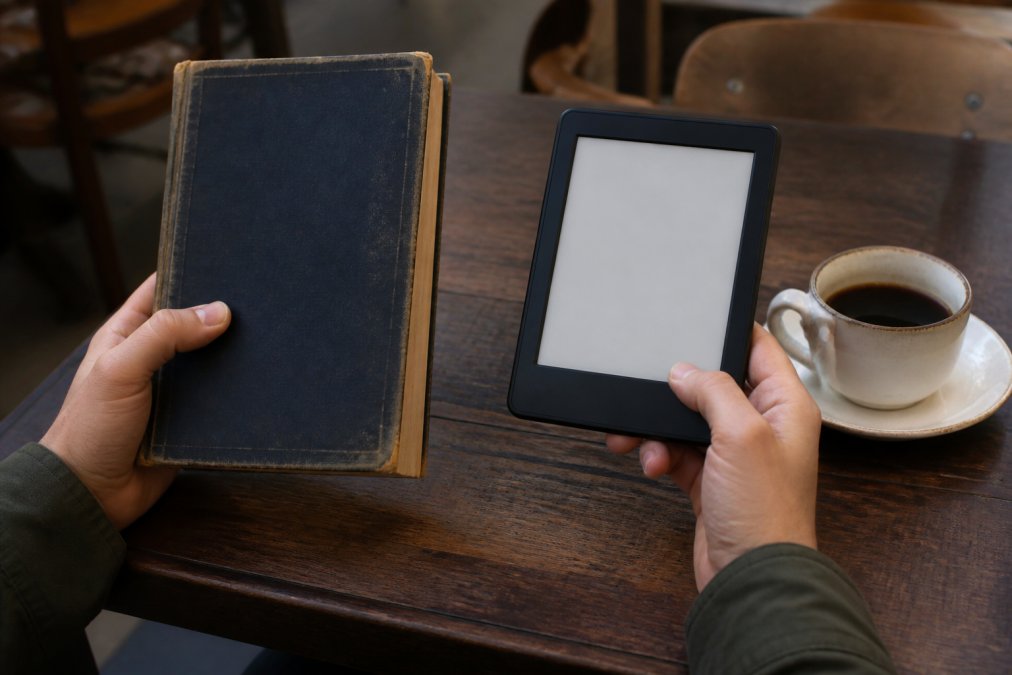
Tactile Feedback and Spatial Memory
Physical books give your brain something screens cannot: a three-dimensional map of where information lives. When you recall a passage from a print book, you often remember it was "about two-thirds through, on the left page." That spatial memory is a real cognitive anchor.
Portability and Convenience
An e-reader wins on logistics every time. A single Kindle Paperwhite holds thousands of titles and weighs less than one hardcover. For travelers, commuters, and anyone who reads in short bursts, that convenience matters.
Digital Reading Comprehension vs Print: What Research Shows
The digital reading comprehension vs print question has generated real academic interest, and the findings are more nuanced than headlines suggest. Many researchers find that print tends to support deeper comprehension and information retention, especially for longer, more complex texts. But the gap narrows considerably when readers are motivated and experienced with screens.
Deep Reading vs Skimming on Screens
Screens train us to skim. Notifications, hyperlinks, and infinite scroll all reward quick scanning over sustained attention. That habit bleeds into e-reading, even on dedicated devices with no browser.
The Impact of E-Readers on Eye Strain and Sleep
The impact of e-readers on eye strain depends less on the word "screen" and more on three physical variables: how light reaches your eye, how often the display refreshes, and how long you hold a fixed focal distance.
Front Light vs. Backlight: The Mechanism That Matters
An LCD or OLED tablet is a backlit transmissive display. Light originates behind the liquid crystal layer and passes through it into your eye, so the screen is effectively a small lamp pointed at your face. An E Ink reader is reflective and front-lit: tiny LEDs sit at the edge of the panel and bounce light off the surface, the same optical path as a paper page under a lamp.
Why Your Eyes Dry Out
A common pattern in eye-care practice is that screen reading reduces blink rate. Blinking spreads the tear film that keeps the cornea moist; when blink rate drops, the film breaks up faster and you get the classic burning, gritty, end-of-day feeling clinicians call digital eye strain. The American Academy of Ophthalmology's guidance on screens and eye strain notes that extended screen time can contribute to eye fatigue and dryness.
Blue Light, Melatonin, and Circadian Rhythm
Short-wavelength blue light is the strongest signal your retina sends to the suprachiasmatic nucleus, the brain's master clock. Bright blue light in the evening suppresses melatonin release and pushes sleep onset later. Modern e-readers address this with warm-light settings that shift the front light toward amber after sunset, and phones and tablets offer Night Shift or equivalent modes.
Practical Settings That Actually Reduce Fatigue
- Match screen brightness to the room, not to the screen's maximum. A reader that looks like a lit window in a dim room is too bright.
- Enable warm light an hour or two before bed rather than at the moment you lie down.
- Increase font size and line spacing so your eyes aren't straining at a small, dense page.
- On E Ink, use a matte front light rather than a glossy tablet; on tablets, a matte screen protector cuts specular glare.
- If sleep quality is the priority, a print book under a warm lamp remains the lowest-risk option for late-night reading, no light source is aimed at your eyes, and there's no refresh at all.
The Neurodivergent Angle Most Comparisons Skip
Eye strain and sleep aren't the only physiological variables. Readers with ADHD often report that the friction of a physical book, the page turn, the fixed layout, the lack of a notification tray, helps them stay in a single text, while readers with dyslexia frequently do better on an e-reader because they can enlarge type, switch to a dyslexia-friendly typeface like OpenDyslexic, widen line spacing, and use text-to-speech to pair visual and auditory processing.
Cost, Storage, and Environmental Footprint
Cost and environmental footprint favor digital, though not as decisively as you might expect, and the reasons are more specific than "e-books are cheaper."
The Real Economics of E-Books vs. Print
E-book prices are set under the agency model, where the publisher, not the retailer, sets the list price. That's why a new e-book often lands at a similar price to a paperback rather than a steep discount, the publisher is protecting the print edition's margin. Where digital genuinely wins on cost is in three places:
- Backlist and public domain. Older titles are frequently a few dollars, and public-domain works are free. Project Gutenberg's free public domain collection hosts tens of thousands of titles at no cost.
- Library borrowing. Apps like Libby by OverDrive let you borrow e-books and audiobooks free with a library card, which eliminates purchase cost entirely for anything your library licenses.
- No shipping, no sales tax in some jurisdictions, no shelf. The marginal cost of one more e-book is effectively zero.
Storage: Square Footage vs. Cloud Space
A physical library consumes real square footage. A single bookcase holds roughly 60 to 100 hardcovers depending on shelf depth and book thickness, so a 500-book collection needs five to eight bookcases and the wall space to hold them. In a small apartment, that's the difference between a reading nook and a storage problem.
The Environmental Math Nobody Finishes
On environmental footprint, the comparison is closer than either side admits, and it hinges on a single number: how many books you actually read on one device.
The variables that actually move the number:
- Grid mix. An e-reader charged on a low-carbon grid has a smaller operating footprint than one charged on a coal-heavy grid.
- Paper sourcing. Recycled or FSC-certified paper lowers print's impact; virgin pulp from cleared forest raises it.
- Sharing. A library book read by 30 people has a fraction of the per-read footprint of a book bought and read once.
- Device lifespan. A reader kept for eight years amortizes its manufacturing impact far better than one replaced every two.
What This Means for Your Shelf
If ownership, resale, and permanence matter to you, print wins. If you read widely, travel often, and value instant access, digital wins. The honest answer is that most serious readers end up with both, a small shelf of books worth keeping and a digital library for everything else.
Accessibility Features for Every Reader
Accessibility is where e-readers quietly dominate. Adjustable typography lets readers enlarge fonts, switch to dyslexia-friendly typefaces, and change line spacing on demand. Text-to-speech converts any title into an audiobook. These features make reading possible for people that print formats often leave behind.
Hybrid Reading Strategies and a Historical Non-Fiction Reading List
You don't have to pick a side. Hybrid reading strategies combine both formats based on context, and they're becoming the default approach for serious readers.
The pattern looks like this:
| Situation | Best Format | Why |
|---|---|---|
| Deep study or complex non-fiction | Supports retention and annotation | |
| Travel and commuting | E-reader | Portability and instant access |
| Late-night reading | Avoids blue light before sleep | |
| Trying new authors | Library app | Free borrowing, no commitment |
| Building a permanent collection | Ownership and shelf value |
Project Gutenberg's free public domain collection
Frequently Asked Questions
Is it better to read a book physically or digitally?
Neither format wins across the board. Physical books support deeper comprehension and information retention because your brain uses tactile feedback and spatial memory to anchor what you read. Digital reading wins on portability, adjustable typography, and cost, especially with library apps like Libby. The best choice depends on your goal: studying or savoring a memoir favors print, while travel and quick genre reads favor an e-reader.
Is it healthier to read a book or Kindle?
Physical books avoid blue light exposure entirely, which helps sleep hygiene and circadian rhythm. E-readers with warm light settings and e-ink technology reduce digital fatigue compared to backlit tablets or phones. If you read at night, either a print book or an e-reader with warm light is a better choice than a phone or tablet. The key is limiting bright screen time before bed.
Are printed books better for your brain than digital books?
Research on digital reading comprehension vs print suggests print offers an edge for deep reading and long-term retention. The physical act of turning pages creates a mental map of the text, which aids recall. Digital reading encourages skimming and multitasking, which can reduce focus. However, neither format damages your brain; the difference lies in how you engage with the material, not the medium itself.
Does reading on a screen affect sleep quality compared to physical books?
Yes, backlit screens emit blue light that suppresses melatonin and delays circadian rhythm, making it harder to fall asleep. E-ink readers with warm light settings have far less impact. Physical books have no effect on sleep hygiene from light exposure. If you read before bed, choose a print book or an e-reader with the warm light turned on and brightness low.
The real challenge isn't choosing between digital and physical book reading. It's building reading habits that survive your busiest weeks. If you're looking for stories worth the shelf space, Warren Robinson Books offers authentic military memoirs and humorous small-town tales from local author Warren Robinson, all at a fair price. Every title delivers genuine, personal storytelling, whether you read it on paper or on a screen. Add to Cart and find your next great read.